The complete hybrid flow, from the first message to the Pipeline
How it works, step by step
1
The customer sends a message
The message reaches a channel (a WhatsApp number, the Instagram Direct inbox or the website Webchat). The AI agent linked to that channel answers in seconds, using the content in Trainings.
2
The agent resolves or qualifies
Frequent questions (deadlines, documents, hours, procedures) are resolved by the agent itself. For a new customer, it asks the qualification questions defined in Behavior.
3
The agent records and organizes
With Skills, the agent adds a note summarizing what it gathered and applies tags such as Hot lead or Active customer. If Allow updating contact data is enabled, it also updates the contact’s name, email and fields.
4
The agent transfers to the right team
When the conversation needs a person, the agent runs the Transfer to Team skill configured for that situation (for example, Sales or Support). The transfer reason is recorded in the conversation.
5
The team takes over with the context ready
The conversation enters the team according to its distribution setting (Round Robin, Available or Queue). The team member reads the note, creates the deal in the Pipeline from the conversation itself and continues the negotiation.
6
The conversation can go back to AI
When the human part is done, the team member uses Handoff to AI to return the conversation to the agent, which collects documents, confirms details or closes the conversation.
Real example: accounting firm
See how Lia, the AI agent of an accounting firm, serves a new customer on WhatsApp: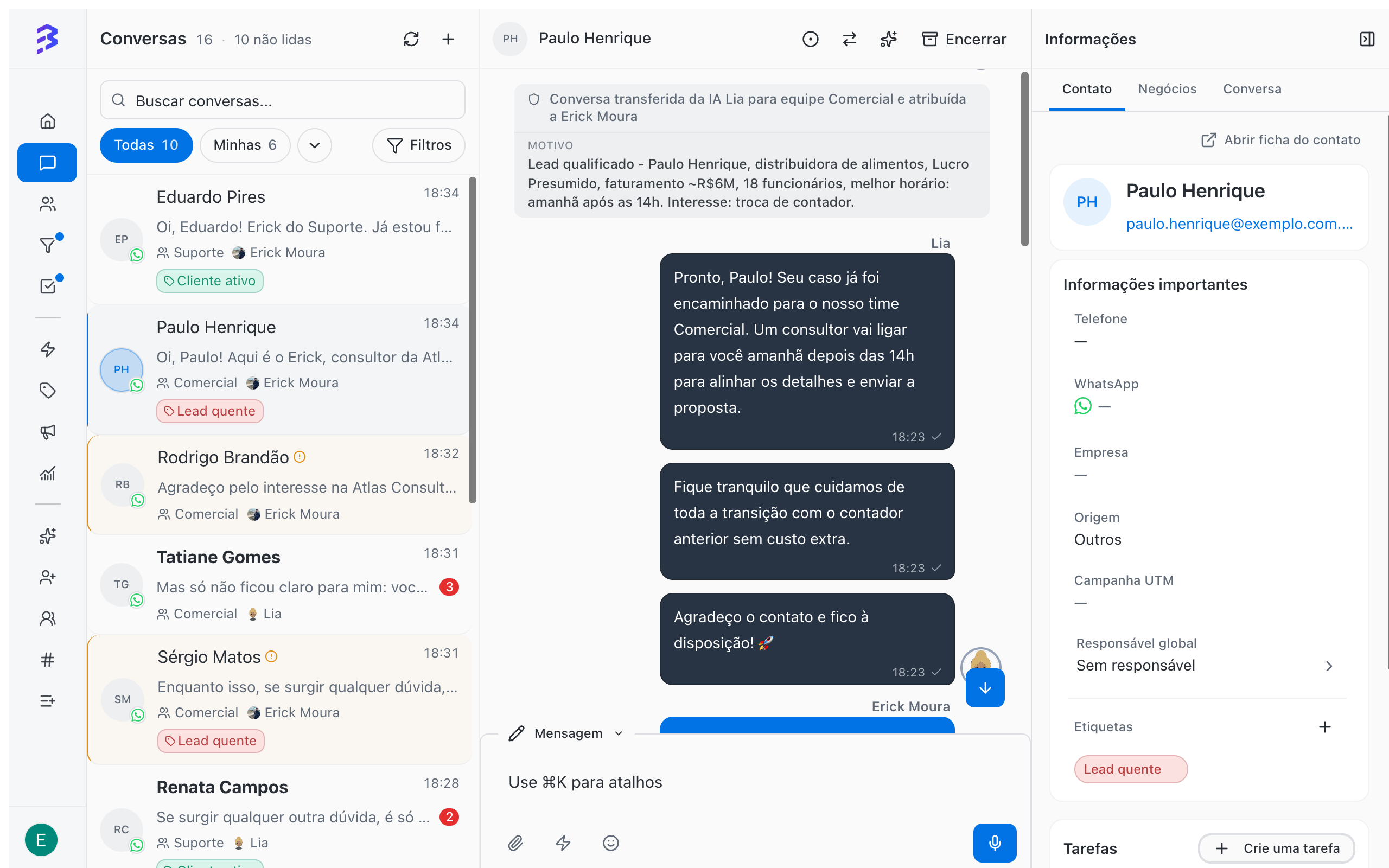
Conversation transferred from AI Lia to the Sales team for the reason: Qualified lead. Food distributor, presumed profit taxation, approximate revenue of R$ 6 million, 18 employees, best time tomorrow after 2 PM. Interest: switching accountants.The same flow applies to a visitor who chats through the website Webchat or a follower who writes in the Instagram Direct inbox.
What to leave to AI and what to leave to the team
Set up hybrid service
1
Create and train the agent
Define purpose, tone and behavior, and train it with frequent questions, files and your company website.Create an AI agent → · Train the agent →
2
Prepare the teams
Each area that receives conversations from AI needs a team with members, a distribution rule and the channel in Team Channels.Create and configure teams →
3
Configure the skills
At a minimum: Add Note for the summary, Add Tag to classify and one Transfer to Team for each area.Configure skills →
4
Test before going live
Use Test Agent to simulate real conversations and see which skills the agent runs.Test the agent →
5
Link the agent to channels
In Channels, open each channel (WhatsApp, Instagram or Webchat) and choose the agent in AI Agent (Optional). From then on, new conversations on that channel start with the agent.Activate the agent and link it to channels →
Track the results
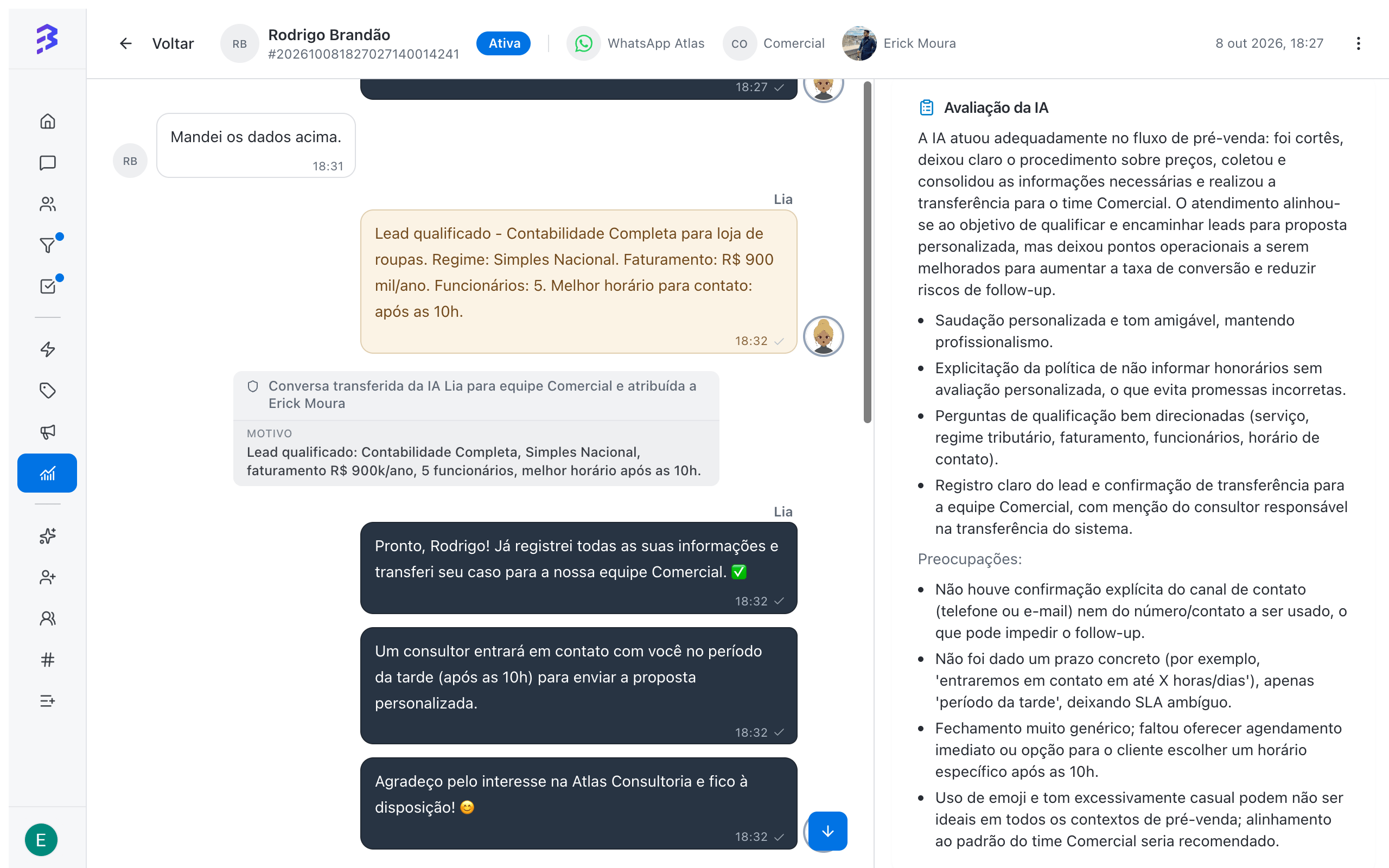
In the Conversations report, the Total conversations over time chart splits conversations into Unassigned, Human only, AI agents only and Hybrid (human + AI). Use it to track how much volume AI resolves on its own and how much goes through the team. The Conversations by channel over time chart shows how volume is split across WhatsApp, Instagram and Webchat. In the 360° View, the AI Analysis of each conversation evaluates the work of the agent and the team and provides coaching suggestions, including for the agent’s training.