Close a deal
You can close a deal in three ways:- On the board: drag the card to the Won or Lost column.
- On the deal record: use the close quick actions. The button shows the end stage name, such as Won or Lost.
- On the deal record: change the Stage field to an end stage.
1
Choose the reason
Select the reason in Won reason or Lost reason.
2
Add context
In Note (optional), write what closed the deal or what blocked it.
3
Confirm
Click Move deal.
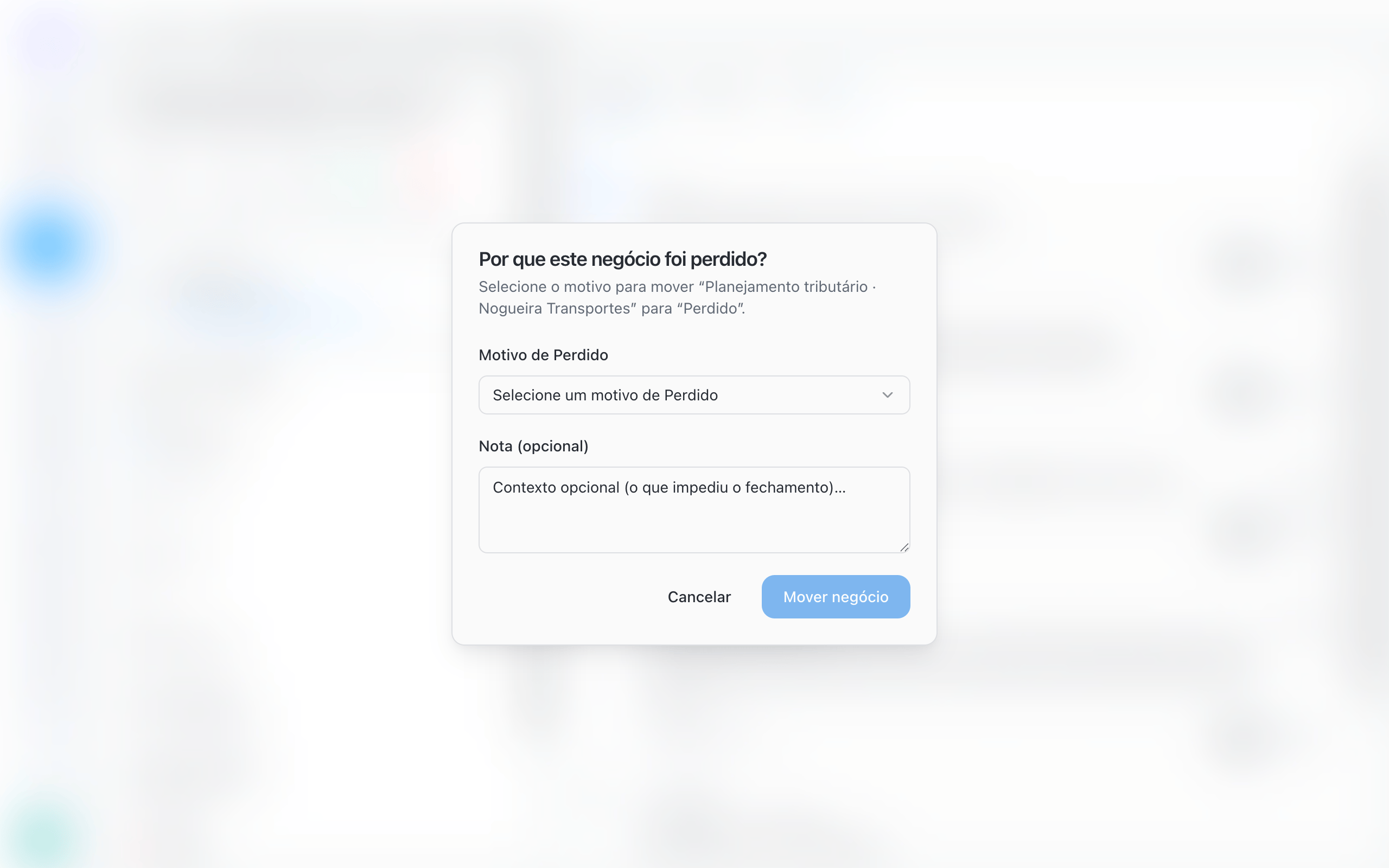
If the list is empty, BluBash tells you there are no reasons yet and where to add them: Pipeline options → Edit pipeline → Reasons.
Do not create discard stages
A stage such as “Disqualified lead”, “Not interested” or “Discarded” is not a step in the process: it is an outcome. Keeping it as a column distorts the board and hides the reason for the loss.1
Add the reason
Add Not qualified (or the name your team uses) to the Pipeline’s Lost reasons.
2
Close as Lost
When a lead is not a fit, move the deal to Lost and choose Not qualified.
3
Remove the old stage
If the Pipeline had a discard stage, delete it in Manage stages. BluBash asks for an open stage to move its deals to. Then close those deals as Lost with the right reason.
Set up a Pipeline’s reasons
Open Pipeline options → Edit pipeline and go to the Reasons tab. When creating a Pipeline, the same settings appear in the Reasons step.
To require a reason, the matching list needs at least one active reason. Inactive reasons are marked inactive.
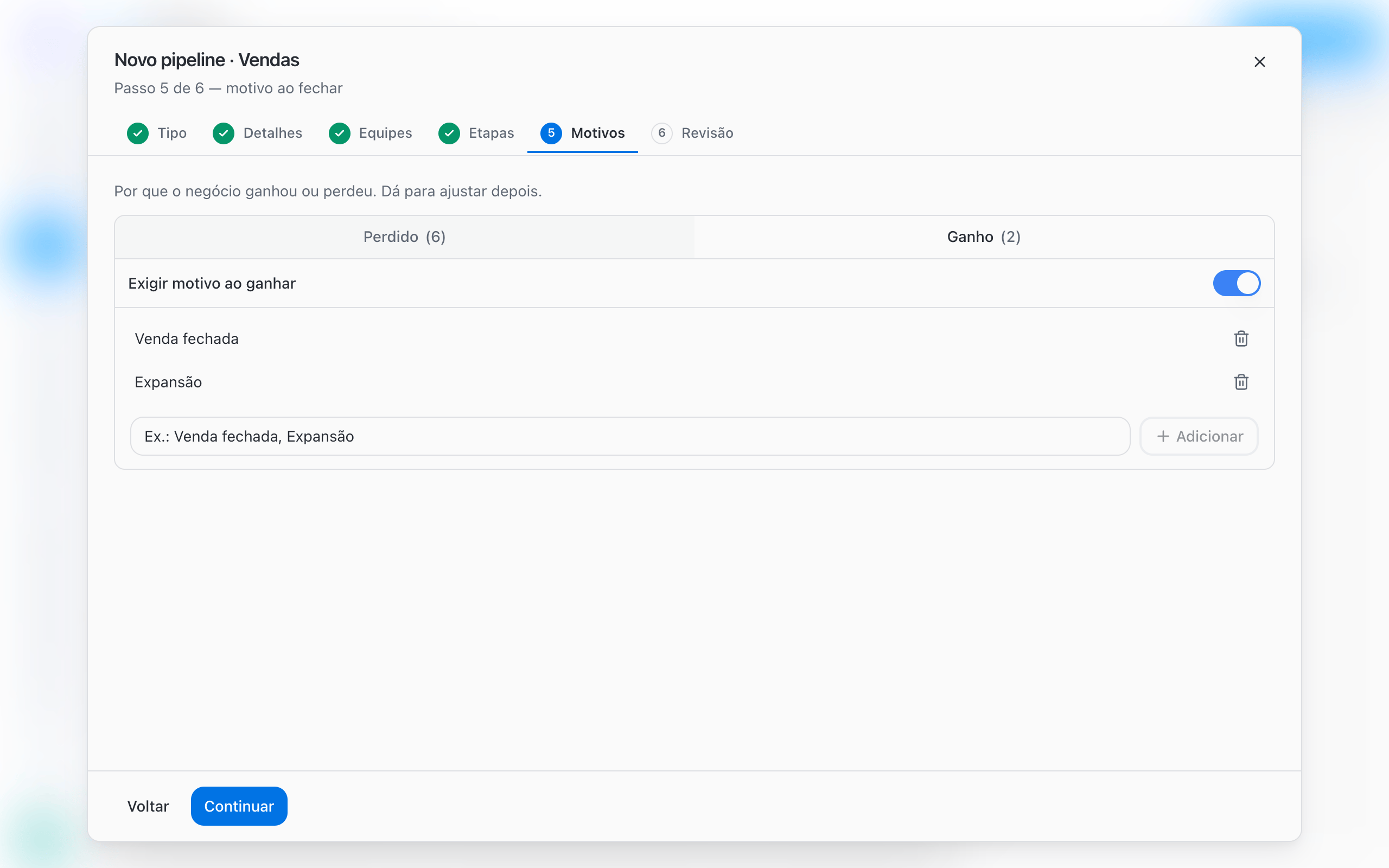
Reasons suggested by templates
In the Sales template, a reason is already required when losing. In the others, turn on the requirement if you want it.
More than one Won or Lost stage
A Pipeline can have more than one Won stage, each with its own destination. Example for a law firm:
To do this, add a stage, change its Stage type to Won and set the destination for each one. With more than one end stage of the same type, the quick action on the record becomes Win or Lose and opens the list so you can choose the stage.
Set up derivation →
Common issues
Next steps
Deal derivation
Create the next deal automatically when you win.
Work with deals
Deal record, filters and tasks.