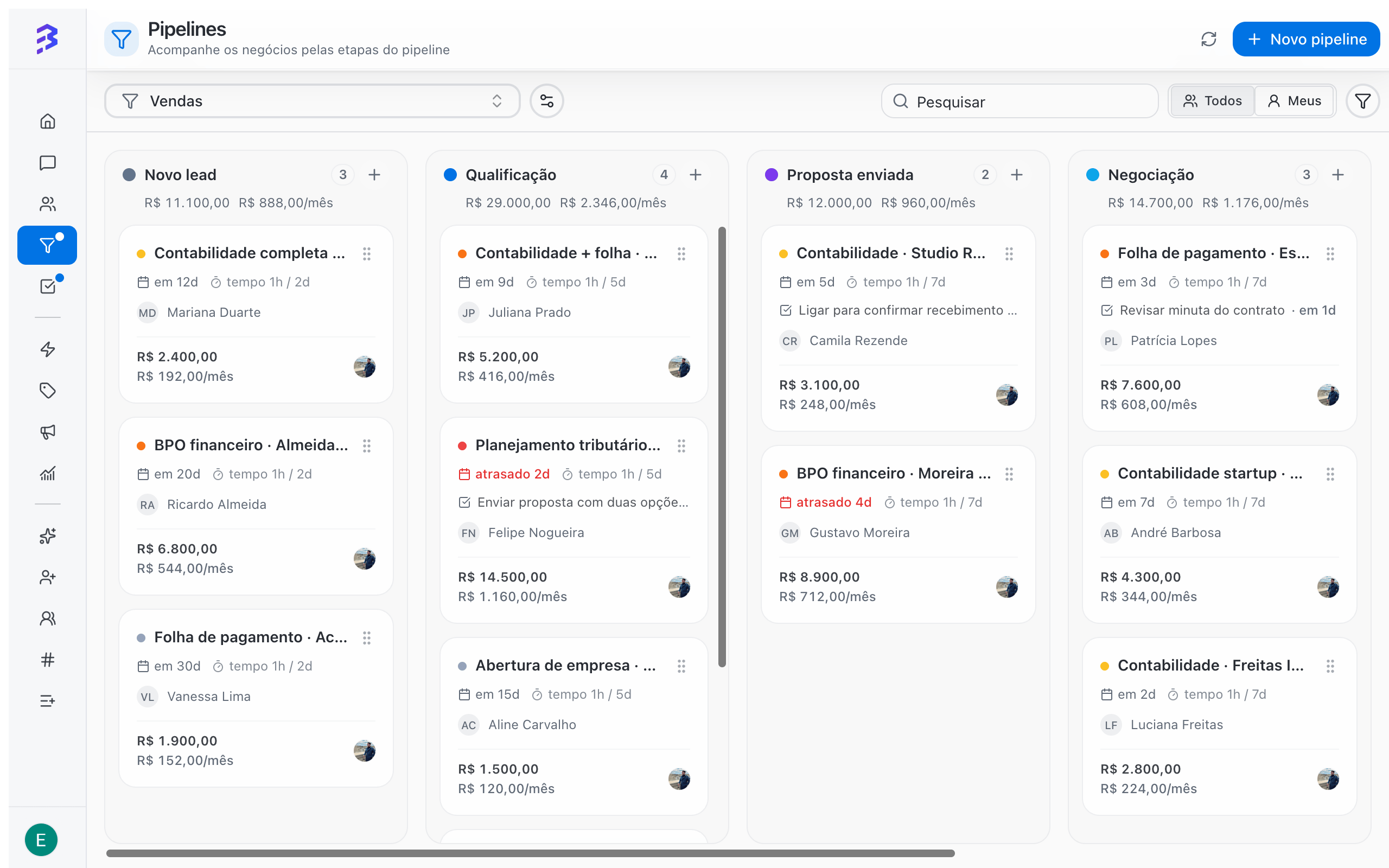
Sales Pipeline with deals in each stage
Board, filters, deal record, reasons and derivation
When to use a Pipeline
Use a Pipeline whenever the work with a customer has a beginning, a middle and an end, and you need to know where each customer stands. Examples:- Sales: from first contact to a won or lost deal.
- Onboarding: from signed contract to go-live.
- Support: from an open request to resolution.
- Collections: from an open invoice to payment.
How a Pipeline is organized
Stages
The board columns. Each open stage can have a maximum time. When a deal exceeds it, the card is highlighted.
Deals
The board cards. Each deal belongs to a contact and holds amount, owner, priority, close date, notes, tasks and history.
Won and Lost
The end stages. Every deal ends in one of them, with the reason recorded when the Pipeline asks for it.
Teams
Who can access the Pipeline. Access comes from the team: members of a linked team can see the Pipeline and its deals.
Ready-made templates
When you create a Pipeline, you choose a starting point. Templates are only suggested stages, fields and reasons. You can change everything later.
See the creation walkthrough →
Conversations and deals are different things
The conversation measures service: who is waiting for a reply, how long the customer waited, whether they were satisfied. The deal measures the process: which stage the customer is in, how much it is worth and how long it has been stuck.
Day to day, the AI agent qualifies the customer in the conversation and transfers to the team with a summary. The team member creates the deal without leaving the conversation and tracks the rest in the Pipeline. The same contact can have several open deals at once, each in a Pipeline.
The AI agent does not create deals yet. Your team creates them, from the conversation or from the board.
Who can do what
Roles and permissions →
Best practices
- Create one Pipeline per process, not per person. Use the Mine view so each team member sees only their own deals.
- Keep few stages, each with a clear entry criterion.
- Do not create discard stages such as “Not interested”. Use Lost with a reason. Learn why →
- Hand the customer from one area to the next with derivation, without losing the source area’s result.
Next steps
Create a Pipeline
Walk through the creation wizard, from template to review.
Work with deals
Create, move, annotate and track deals day to day.
Won, Lost and reasons
How to close deals and why to record the reason.
Deal derivation
Hand the deal to the next area without losing its history.